AP Proforma
The A/P Proforma List functions as a reference template for A/P Vouchers. When selected during voucher creation, it automatically applies the predefined accounts and posting rules, ensuring accurate and consistent accounting entries. Users may define fixed amounts for recurring payables, or set the amount to zero so that the amount is entered during the A/P Voucher transaction, allowing the system to automatically compute and distribute the correct amounts to the defined account entries.
💡 Take note: New tax types should only be created if additional tax classifications are mandated by BIR in the future.
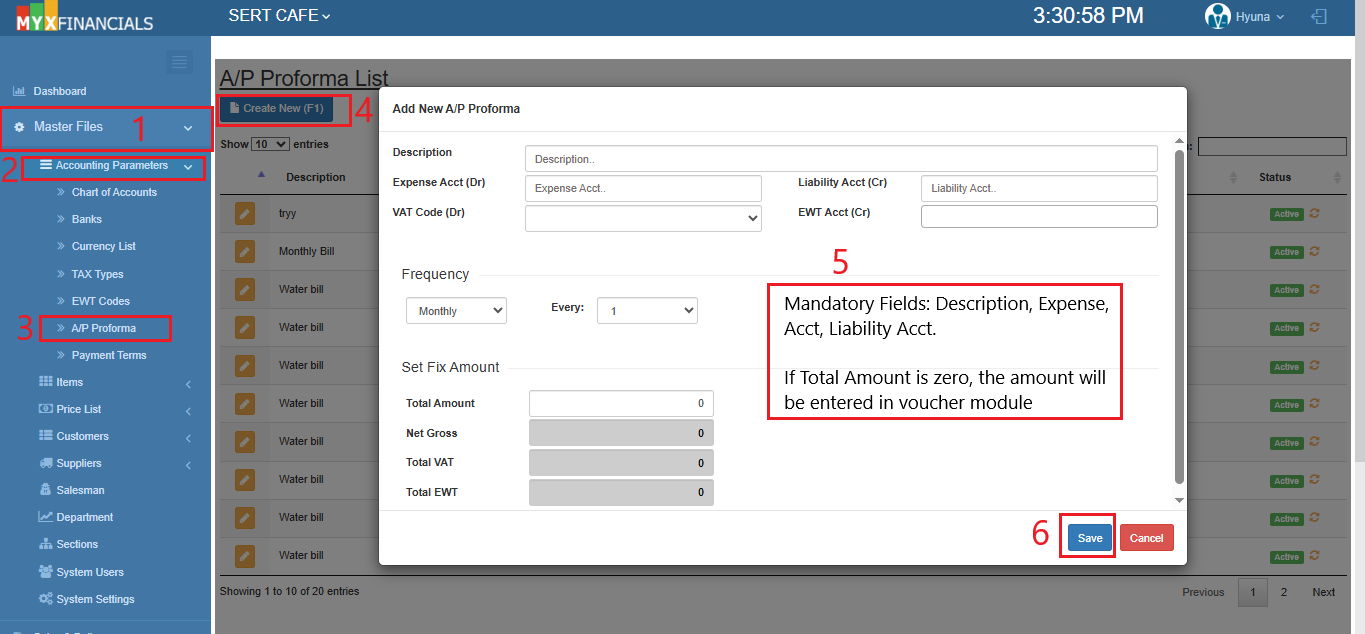
How to Create a New A/P Proforma:
- Go to Master Data Files.
- Click Accounting Parameters
- Click A/P Proforma List
- Click Create New (F1)
- Enter the details of the A/P Proforma.
- Click Save
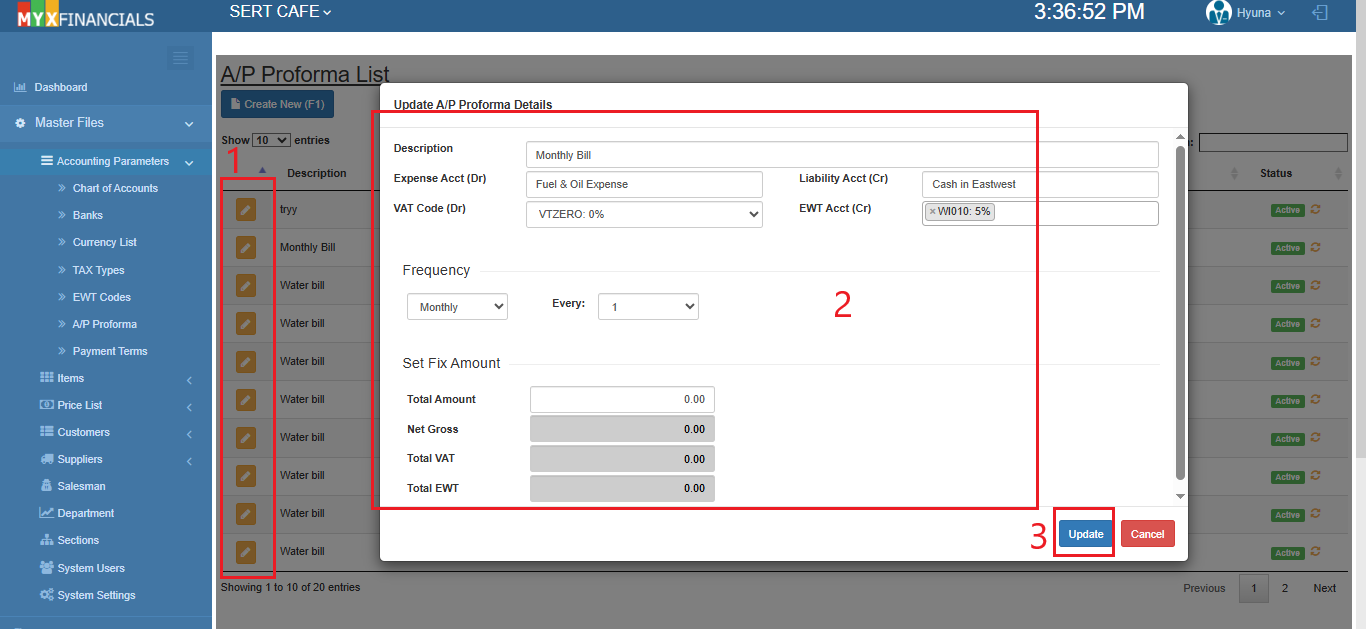
How to Update A/P Proforma:
- Go to Master Data Files.
- Click Accounting Parameters
- Click A/P Proforma List
- Click the yellow button
- Update the details of the A/P Proforma
- Click Update
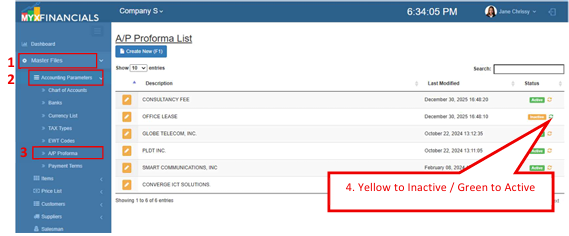
How to Inactive the A/P Proforma:
- Go to Master Data Files.
- Click Accounting Parameters
- Click A/P Proforma
- Click the yellow cycle icon or Inactive
o Click the green cycle icon or Active to activate the item.