
Currency List
The Currency List serves as the reference file for multi-currency transactions, ensuring consistent currency usage across sales, purchasing, and accounting modules.
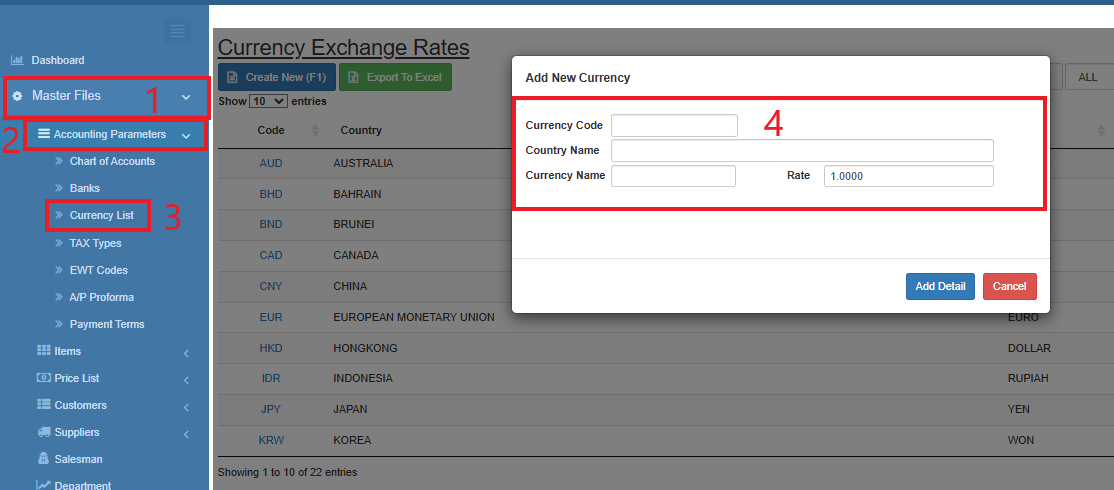
How to Create a New Currency :
- Go to Master Data Files.
- Click Accounting Parameters
- Click Currency List
- Click Create New (F1)
- Enter the details of the new currency.
- Click Add Detail
How to Update the Currency List
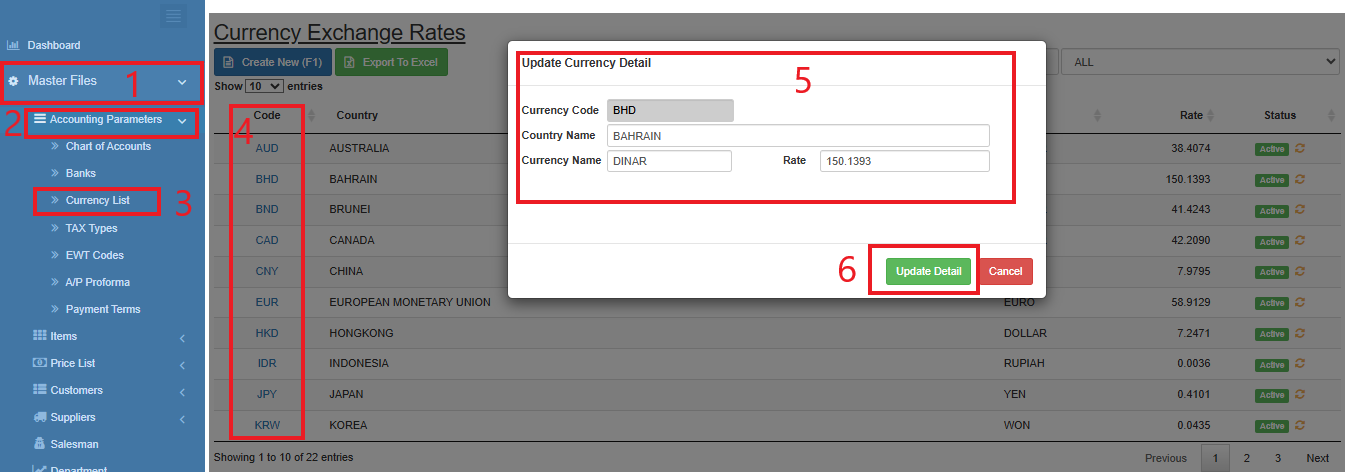
Go to Master Data Files.
Click Accounting Parameters
Click Currency List
Select a currency and click the blue font text or Currency Code.
Enter the new details of the currency.
Click Update Detail
How to Inactive the Currency
- Go to Master Data Files.
- Click Accounting Parameters
- Click Currency List
- Click the yellow cycle icon or Inactive
o Click the green cycle icon or Active to activate the item.