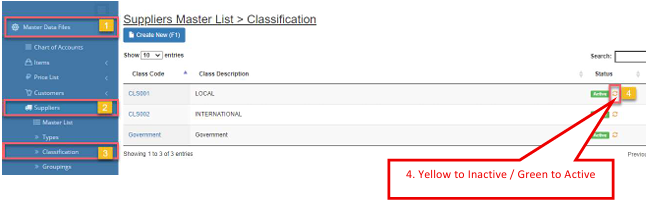
Suppliers Classification
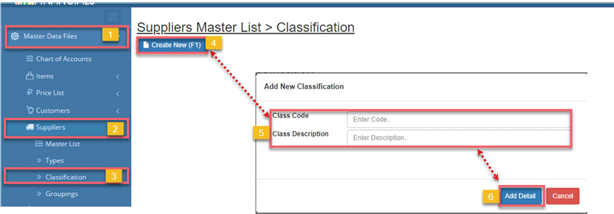
How to Add New Suppliers Classification:
- Go to Master Data Files.
- Click Suppliers
- Click Classification
- Click Create New (F1)
- Enter the details of the new supplier’s classification
- Click Save (F2)
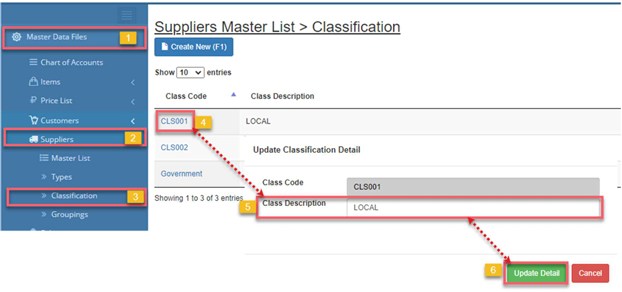
How to Update Suppliers Classification:
- Go to Master Data Files.
- Click Suppliers
- Click Classification
- Click Code
- Update the details of the supplier’s classification
- Click Save (F2)
How to Inactive Classification:
- Go to Master Data Files.
- Click Suppliers
- Click Classification
- Click the yellow cycle icon or Inactive
a. Click the green cycle icon or Active to activate the item.