Purchase Pricelist
The Purchase Price List serves as the reference or initial purchase price of items. During purchasing, the system prioritizes the latest transaction price; if none exists, the price from this list is applied.
How to Add New Price Matrix (Purchase Pricelist):
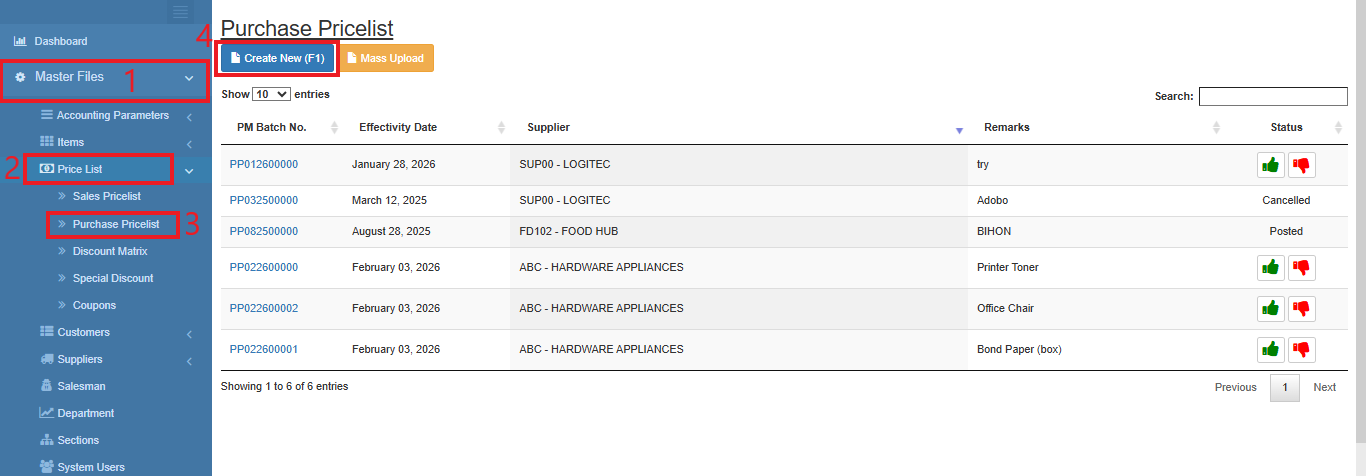
- Go to Master Data Files.
- Click Price List
- Click Purchase Pricelist
- Click Create New (F1)
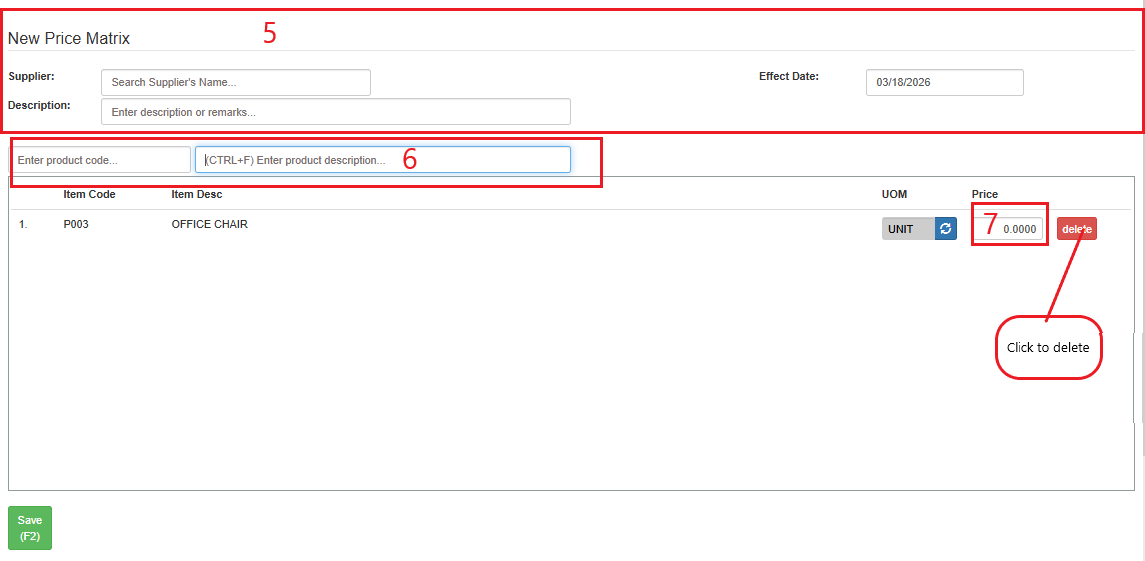
- Enter the Supplier, Description and Effect Date.
- Enter the product code or description.
- Enter the amount of the price.
- Click Save (F2)
Click delete to delete the item.
How to Update Purchase Price List:
- Go to Master Data Files.
- Click Price List
- Click Sale Pricelist
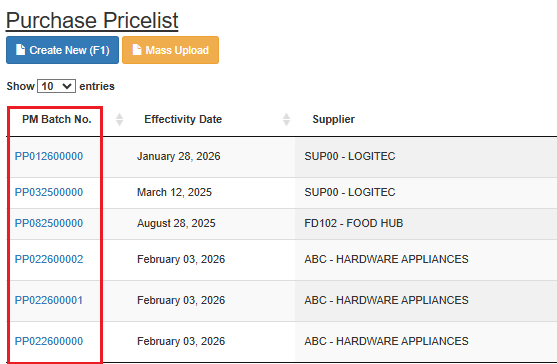
- Select PM Batch No. and click the blue text icon.
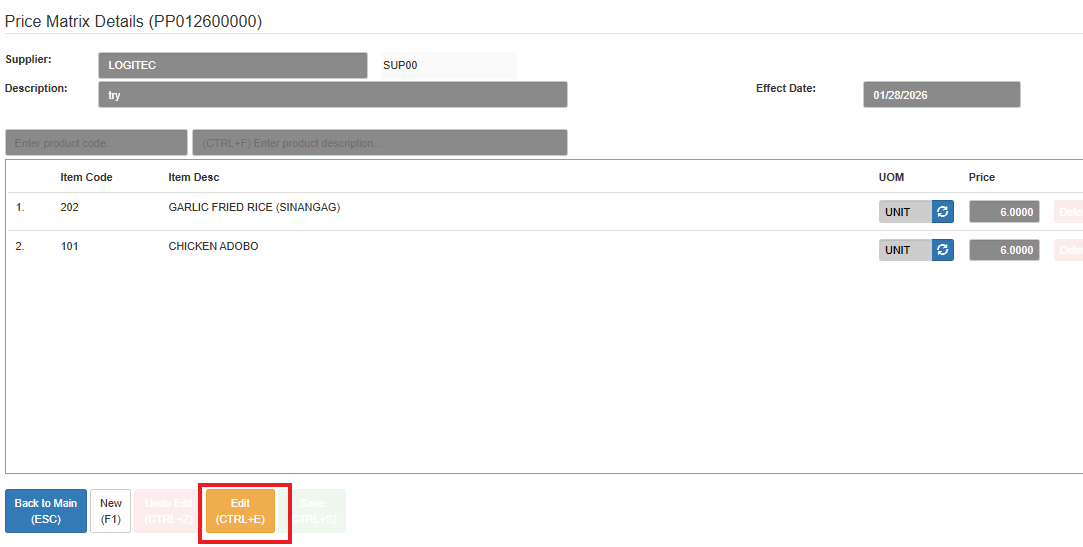
- Click Edit
- Enter the new details of the price matrix.
- Click Save (CTRL+S)