Item Groupings
Item Groupings in MyxFin allows users to organize items into logical groups for easier management and reporting. This module helps categorize items based on business needs, such as by type, department, or other custom criteria.
Create New Transaction:
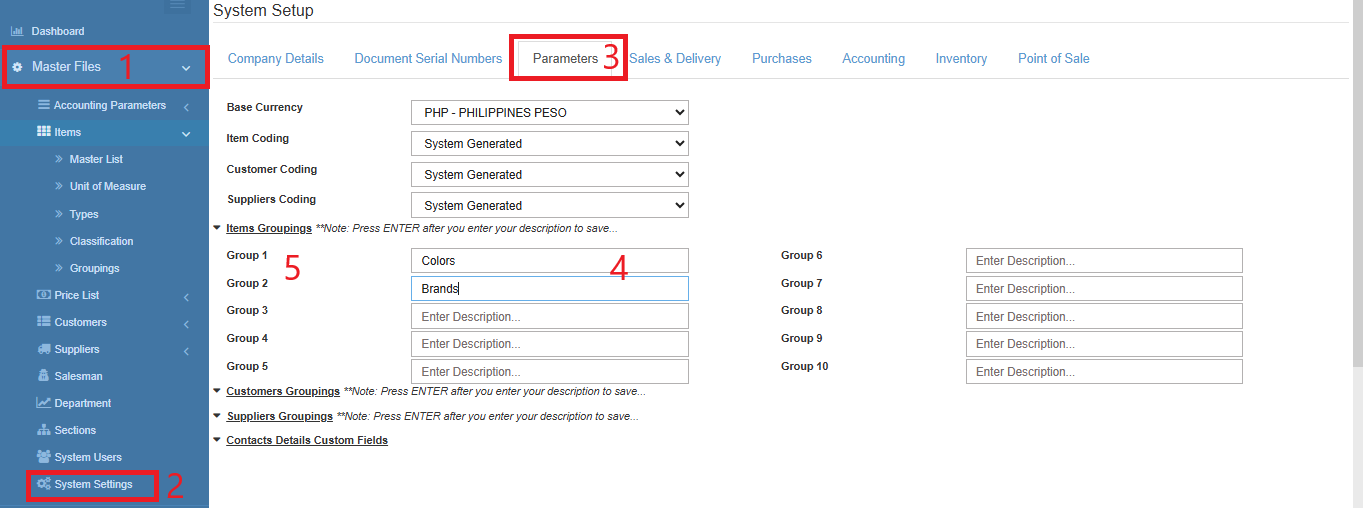
A. Rename the Group Label
- Go toMaster DataFiles.
- Click System Settings
- Go to ParametersTab.
- Under Items Groupings Enter the label for each group you needed.
- PressEnterafter you type the label.
- A check mark will appear beside the Group to indicate that the change is saved.
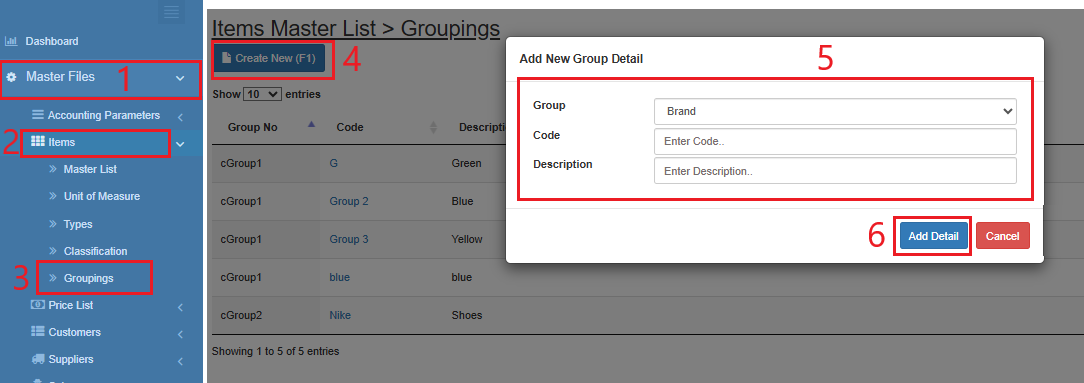
B. Add Group Options
- Go to Master Data Files.
- Click Items
- Click Groupings
- Click Create New (F1)
- Enter the details of the new option.
- Click Add Details