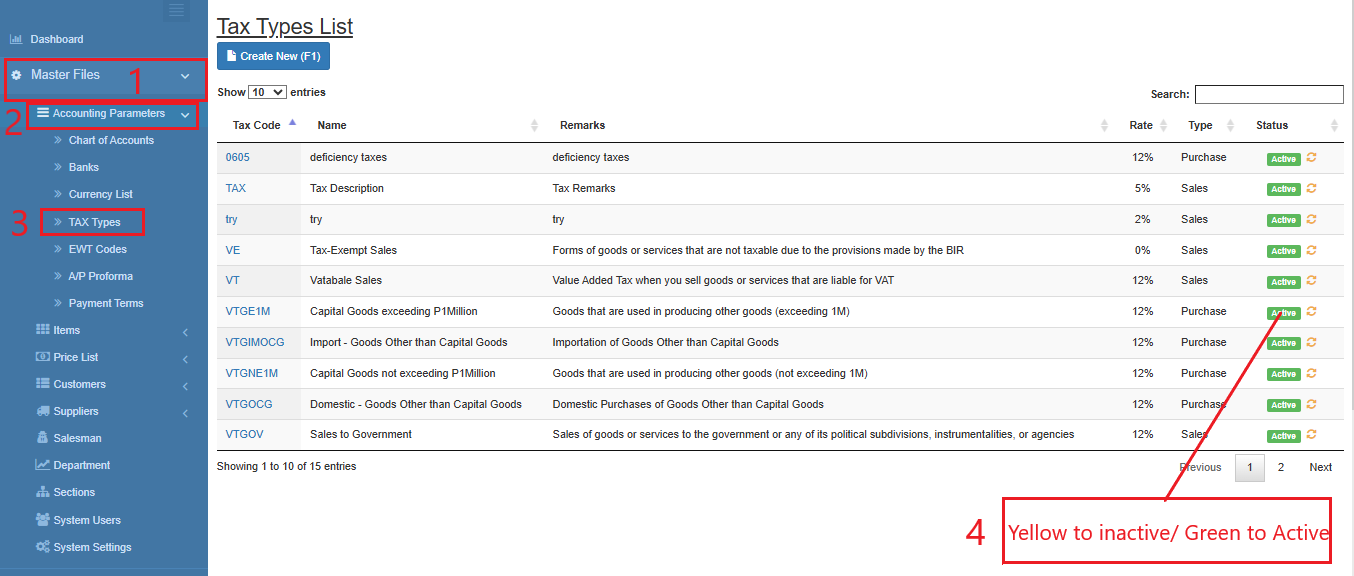
Tax Types
Tax Types maintain the tax classifications required for transaction processing and BIR reporting. The existing tax types are pre-defined based on current BIR requirements.
💡 Take note: New tax types should only be created if additional tax classifications are mandated by BIR in the future.
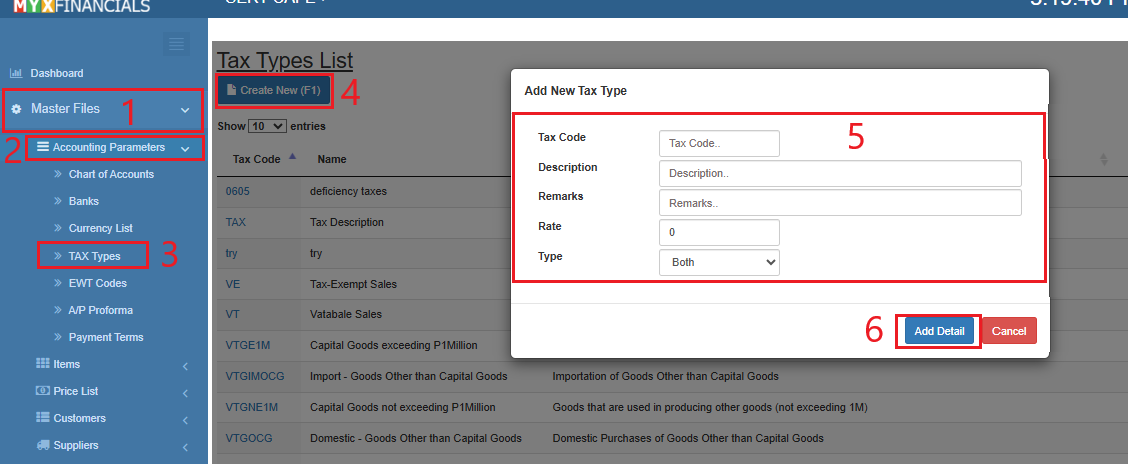
How to Create a New TAX Type:
- Go to Master Data Files
- Click Accounting Parameters
- Click TAX Types
- Click Create New (F1)
- Enter the details of the TAX Type.
- Click Add Detail
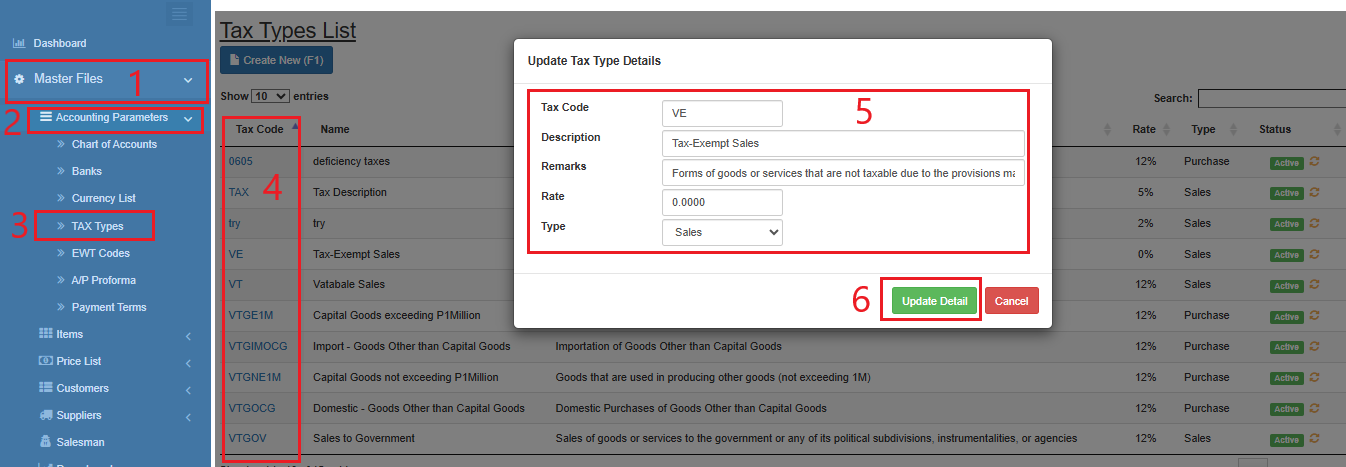
How to Update the TAX type:
- Go to Master Data Files.
- Click Accounting Parameters
- Click TAX Types
- Select a tax type and click the blue font text or TAX Type Code.
- Enter the new details of the Tax Type.
- Click Update Detail
How to Inactive the TAX Type:
- Go to Master Data Files
- Click Accounting Parameters
- Click TAX Types
- Click the yellow cycle icon or Inactive
o Click the green cycle icon or Active to activate the item.