Suppliers Groupings
How to Create a New Groupings:
A. Rename the Group Label
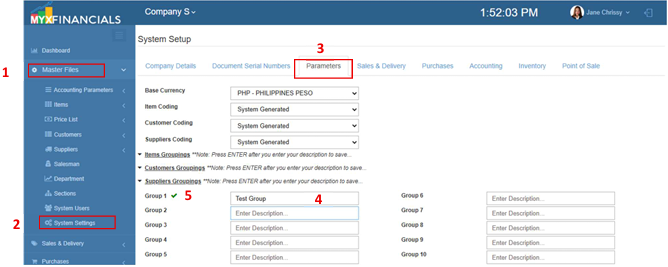
- Go to Master Data Files.
- Click System Settings
- Go to Parameters Tab
- Under Suppliers Groupings Enter the label for each group you needed.
- Press Enter after you type the label, a check mark will appear beside the Group to indicate that the change is saved.
B. Add Group Options
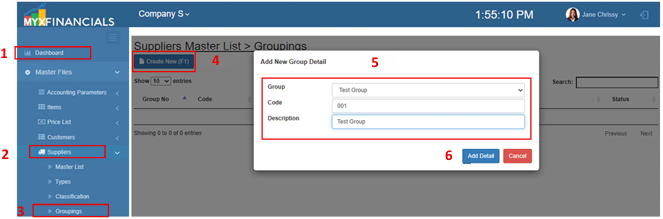
- Go to Master Data Files.
- Click Suppliers
- Click Groupings
- Click Create New (F1)
- Enter the details of the new option.
- Click Add Details